
Smart Cricket Umpiring on iPhone
Overview
Balls The Over Counter is a specialized iPhone application developed by Electric Glass Ltd. designed to assist cricket umpires in accurately tracking deliveries, wides, no balls, and overs during live matches. The app aims to streamline the administrative side of umpiring, reducing manual errors and improving consistency in match record-keeping. It is tailored for on-field use, providing real-time tracking features that support both amateur and professional cricket officials. The app’s core functionality centers on delivery counting and timing, ensuring that umpires maintain compliance with standard cricket protocols. Real-world usage includes use during local club matches, school cricket games, and organized tournaments where accurate delivery tracking is essential. The developer did not provide additional information about the company’s background beyond the name. Platform compatibility is limited to iPhone devices, and the app is available at no cost to users. The developer did not specify system requirements or performance benchmarks.
Key Features & Capabilities
- Delivery Tracking: Monitors each ball bowled, ensuring accurate over count and delivery recording.
- Wides and No Balls Counter: Tracks and displays counts for wides and no balls separately.
- Timer for Delivery Recording: Displays elapsed time since the last delivery, helping prevent premature recording.
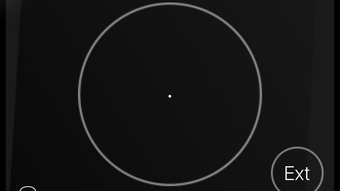
- 3D Touch Mode: Allows the device to remain unlocked and in pocket while the app runs, minimizing accidental inputs.
- Remaining Balls Display: Shows how many balls are left in the current over.
- Pro Version Features (In-App Purchase): Includes full delivery logging, team score and wicket tracking, run totals, and customizable timers for boundaries and wickets.
These features support efficient on-field workflow by reducing reliance on paper scoresheets. For example, the timer feature helps maintain the required pause between deliveries, a common challenge in fast-paced matches. The 3D Touch mode enhances usability during physical play, allowing umpires to keep the device secure without interrupting gameplay. The pro version extends functionality for detailed match documentation, which may be useful for post-match analysis or record-keeping. The app’s design emphasizes minimal interaction during play, prioritizing accuracy and ease of use in dynamic environments.
User Interface, Workflow & Performance
The user interface of Balls The Over Counter is designed for quick access and minimal distraction during matches. Navigation is centered around a clean, large-display dashboard that shows key metrics such as ball count, timer status, and delivery type indicators. The layout prioritizes readability under outdoor lighting conditions and allows for one-handed operation. Workflow efficiency is enhanced through intuitive gestures, particularly in the 3D Touch mode, which enables hands-free operation when the device is secured in a pocket. The app maintains a responsive interface during active use, though exact performance details were not specified by the developer. Resource usage, including CPU and RAM behavior, remains unconfirmed. Stability during extended use is not documented, but the app’s lightweight design suggests it is optimized for continuous background operation. The developer did not provide information on battery consumption or background processing behavior.
Compatibility & System Requirements
Balls The Over Counter is designed exclusively for iPhone devices. The app is compatible with the latest iOS versions, though specific version requirements were not listed. The installation size is 38.8 MB, indicating a lightweight footprint. The developer did not specify hardware requirements such as processor speed, RAM, or storage capacity. Exact system requirements were not listed, and compatibility with older iPhone models is unclear. Platform compatibility information is limited to the iPhone platform. Users are advised to ensure their device meets general iOS app compatibility standards. The app is available for free, with additional features accessible via in-app purchase.
Pros and Cons
Pros
- Free to download and use with core functionality available at no cost.
- Intuitive interface designed for on-field use under real match conditions.
- 3D Touch mode supports hands-free operation while maintaining accuracy.
- Timer feature helps prevent premature delivery recording.
- Pro version offers advanced tracking for detailed match records.
Cons
- Exclusive to iPhone; no support for Android or other platforms.
- Advanced features require in-app purchase, limiting full functionality for free users.
- Exact system requirements and performance data were not provided.
- Platform-specific limitations may restrict broader adoption.
- No information on battery impact or long-term stability.
FAQ Section
Is Balls The Over Counter available for Android?
The app is currently available only for iPhone devices. There is no information on Android compatibility at this time.
Is the app safe to use during a live cricket match?
Yes, the app is designed for on-field use with features like 3D Touch mode to minimize accidental inputs. Its lightweight nature supports reliable operation during active gameplay.
Does the app require an internet connection?
The app functions fully offline. All tracking and recording features operate without requiring a network connection.
How do I access the pro version?
The pro version is available through an in-app purchase within the app. This unlocks advanced tracking features such as score and wicket logging.
Can I use the app without creating an account?
Yes, the app does not require user registration or account creation. All data is stored locally on the device.
Final Thoughts
Balls The Over Counter delivers a focused, reliable solution for cricket umpires seeking digital assistance in managing deliveries and overs. Its clean interface, thoughtful design for on-field use, and the inclusion of a 3D Touch mode make it a practical tool for real-time match tracking. The free access to core features ensures broad usability, while the pro version offers meaningful upgrades for those needing detailed record-keeping. Although platform exclusivity and limited system information are notable drawbacks, the app’s purpose-driven functionality sets it apart in the niche cricket umpiring space. For any cricket official using an iPhone, this app provides a seamless, efficient way to maintain accurate match records. Download Balls The Over Counter now.







